An online catalog maker for wholesale and retail sellers.
Where Canva meets ecommerce.
The automatic catalog maker for any store — or no store at all. Import from Shopify, or upload any CSV or Excel file: your own price list or product spreadsheet, or an export from Amazon, Etsy, WooCommerce & more. Automation lays it out as print-ready PDFs, line sheets, and interactive flipbooks in minutes.
Same products, same prices, same photos. The difference is what your buyers actually receive.
Before
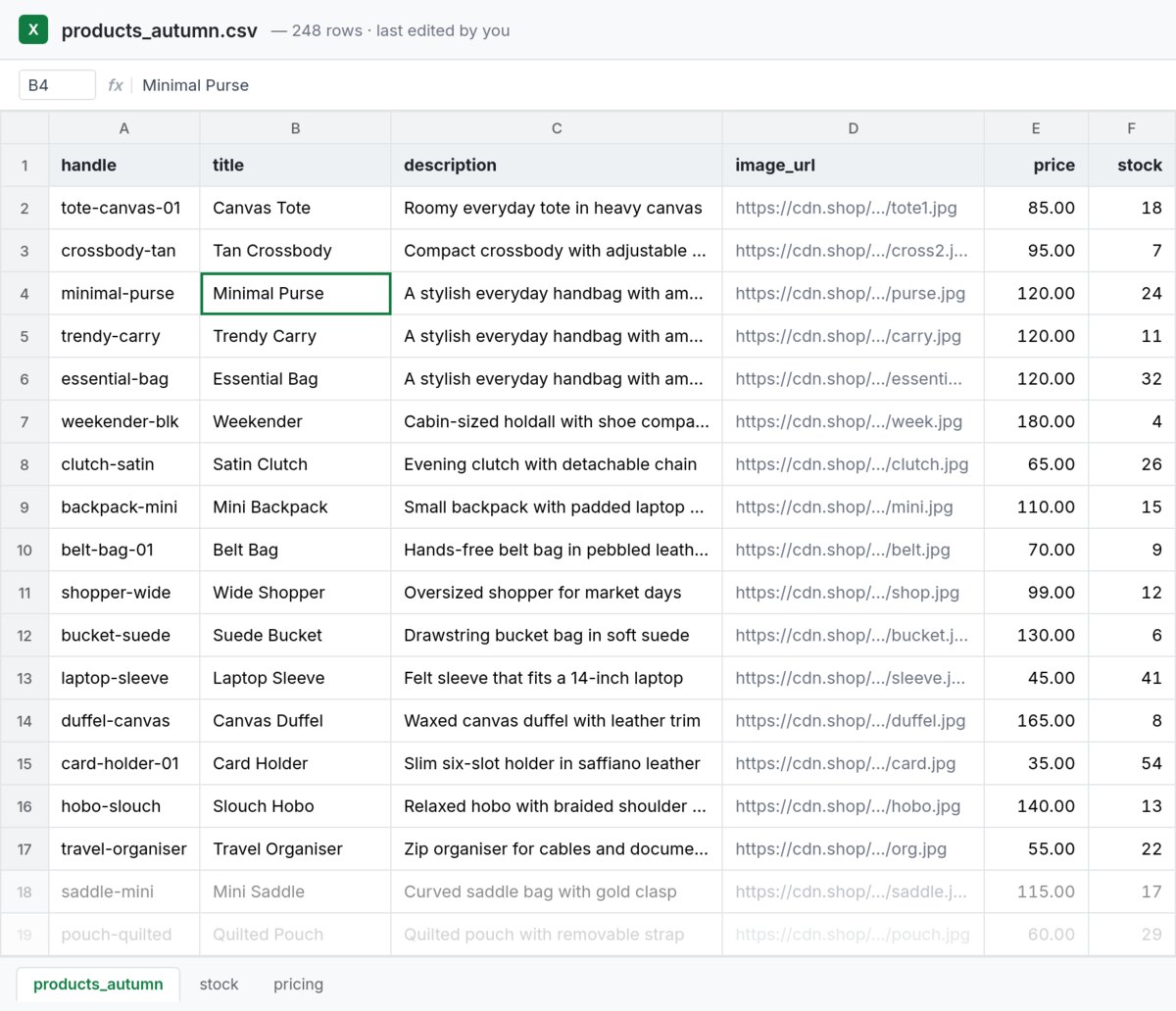
A CSV or Excel export. Every detail is in there, and none of it is something you would send a buyer.
After
Loading the flipbook…
A finished catalog, laid out automatically. Flip through all eight pages. Your buyers get the same thing as a print-ready PDF or a shareable flipbook link.
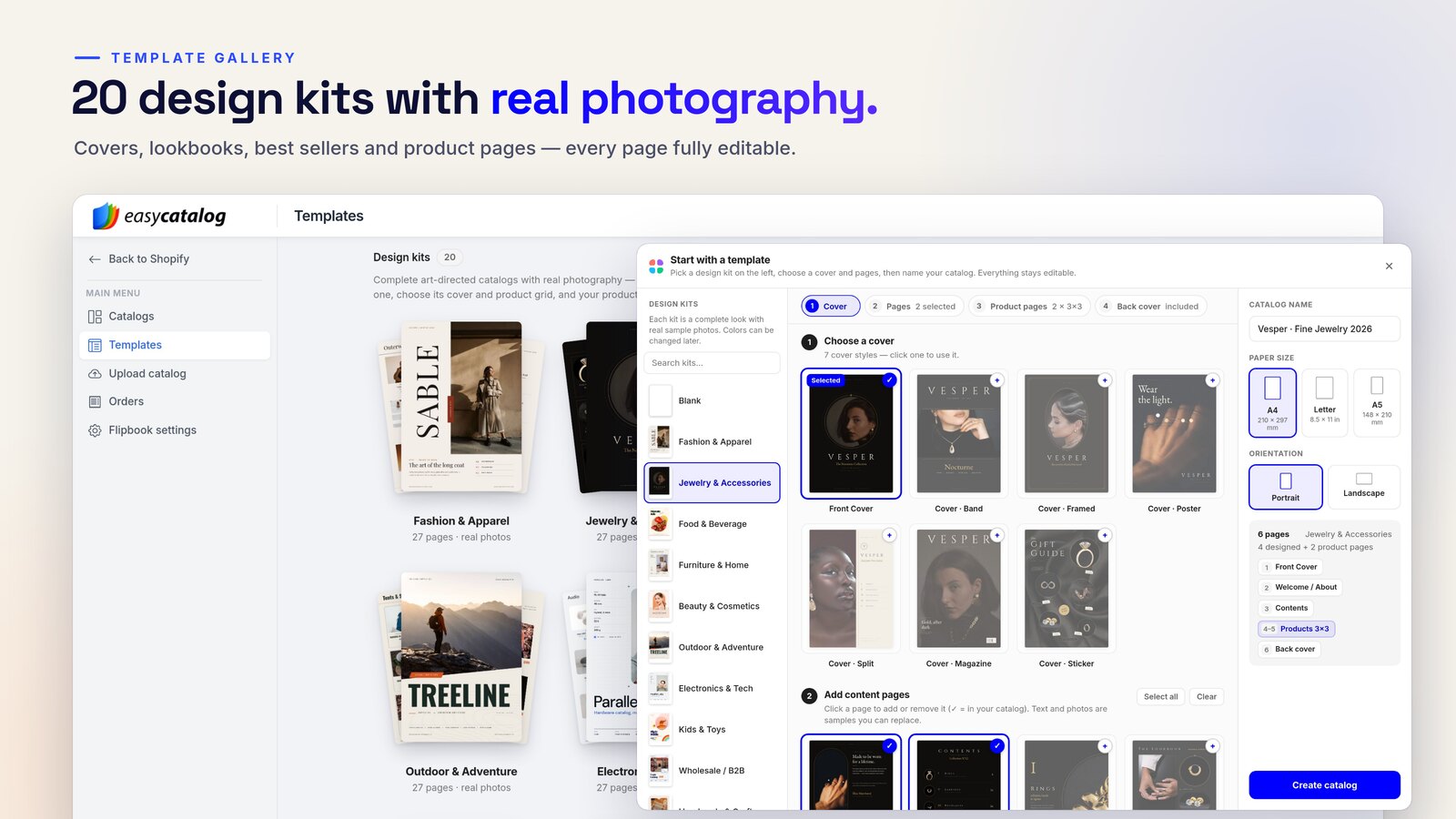
53 design kits, each a complete catalog with real photography: covers, lookbook, best sellers, promo, size guide, FAQ and back cover. Pick one, add your products, done.
Professional results without the professional software — automation does the layout, so there's no learning curve.
01
Drag-and-drop editor
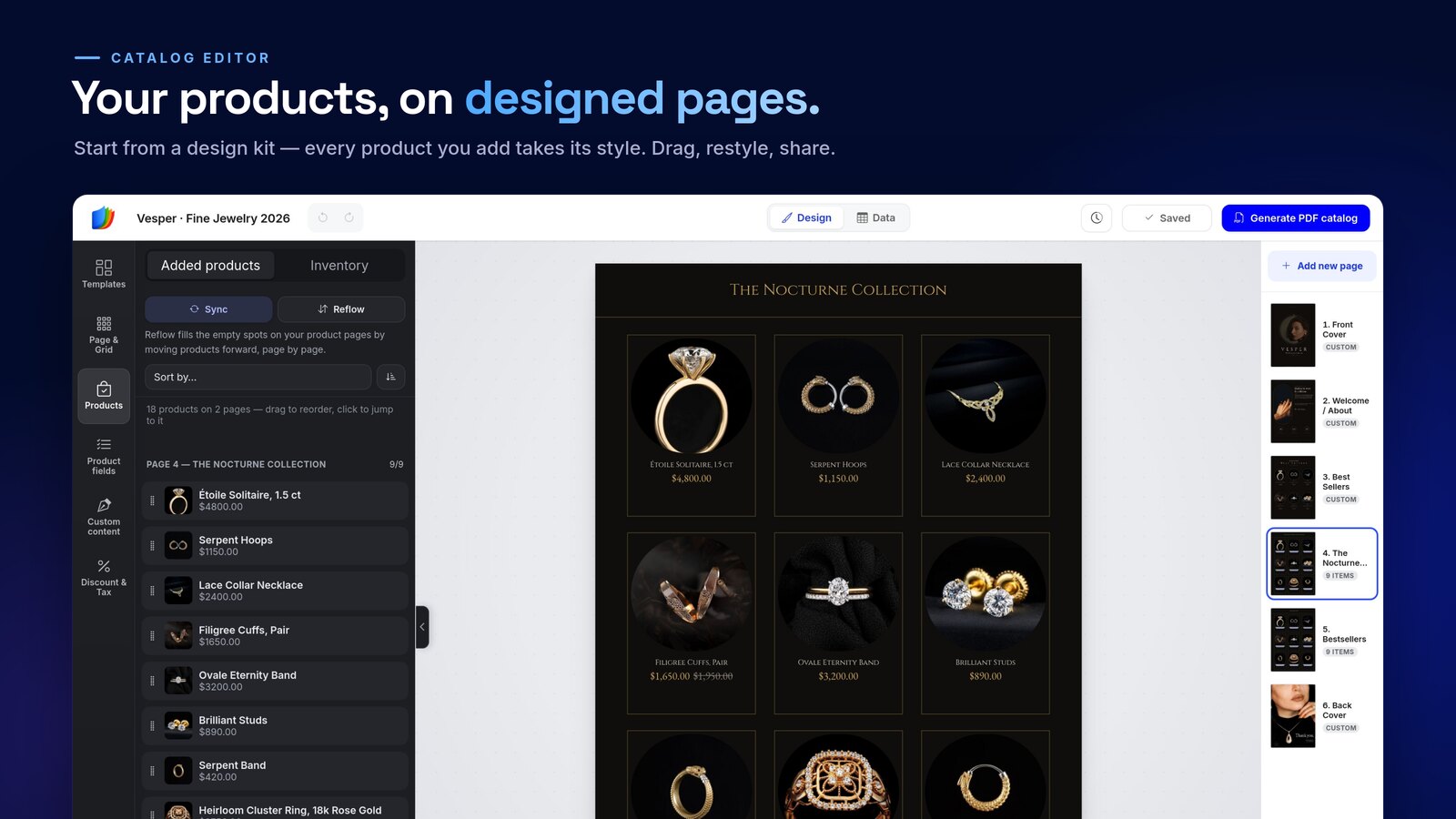
Arrange products, text, and images on a real page canvas — the new grid editor reflows products automatically as you design. What you see is exactly what prints.
02
Design kits & templates
396 templates, from 31 design kits with real photography to seasonal sale catalogs — line sheets, lookbooks, wholesale catalogs and price lists. Browse the gallery
03
Automatic import
Sync from Shopify or upload a CSV from Amazon, Etsy, WooCommerce and more — automatic column mapping and page layout, no manual entry.
04
Print-ready PDF
High-resolution, press-quality PDF export with bleed and crop-perfect layouts, every time.
05
Interactive flipbooks
Turn any catalog into a shareable online flipbook — with clickable products and order forms.
06
QR codes & barcodes
Auto-generate QR codes and barcodes so buyers can scan straight through to a product or order.
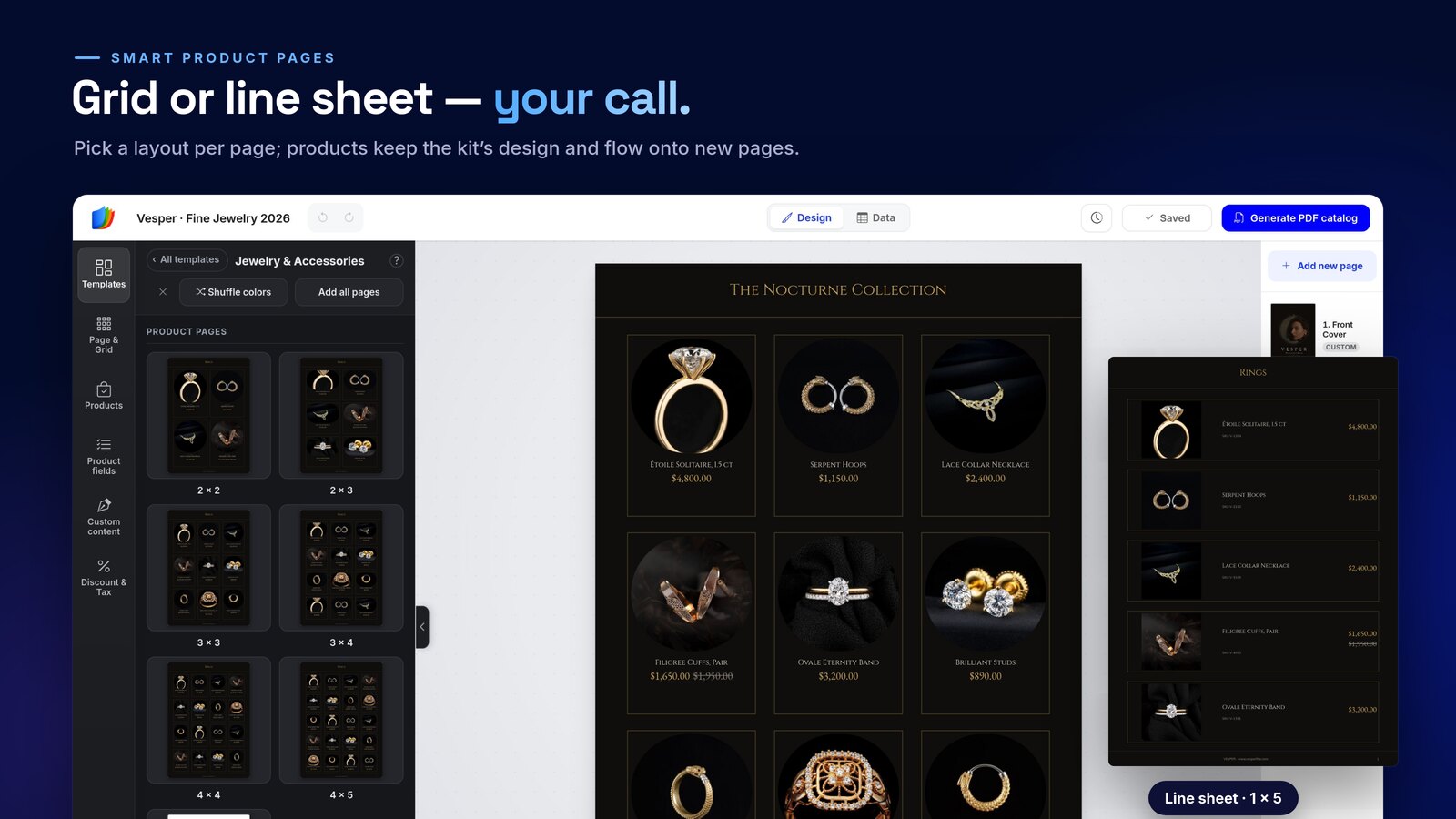
Every kit comes with a designed product page. Switch between grids and line sheets page by page — products keep the kit’s style and extra products flow onto the next page.
Grids from 2 × 2 to 4 × 5, plus one-column line sheets
Apply changes to one page, a collection or the whole catalog
Style a single field — or every card at once
Brand
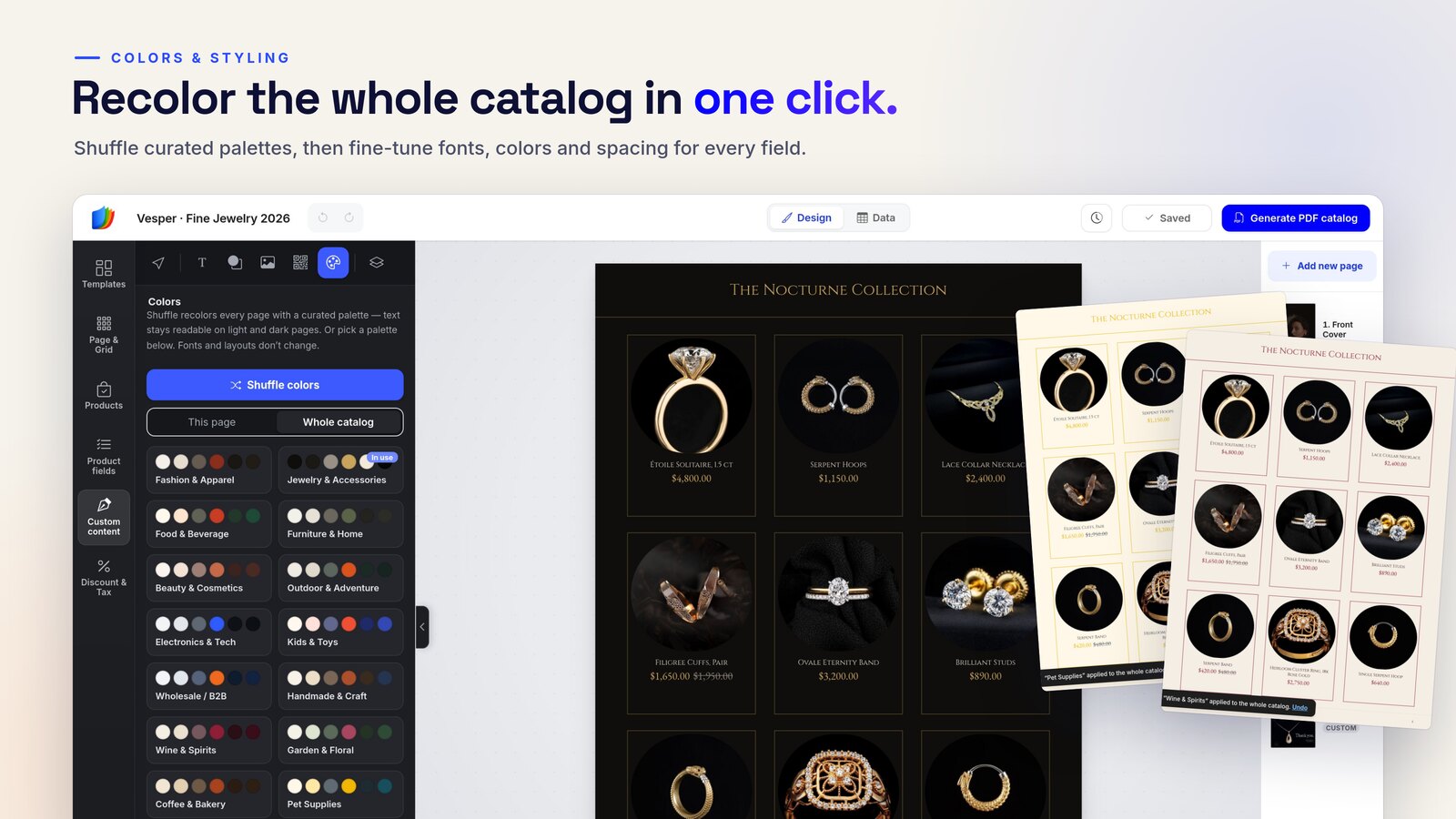
Recolor the whole catalog in one click.
Shuffle curated palettes or pick your own colors, then fine-tune fonts, colors and spacing field by field. Headings, shapes and images drop in from the toolbar.
Curated palettes for this page or the whole catalog
Your fonts and colors across every page
Upload your own images and logos
Data
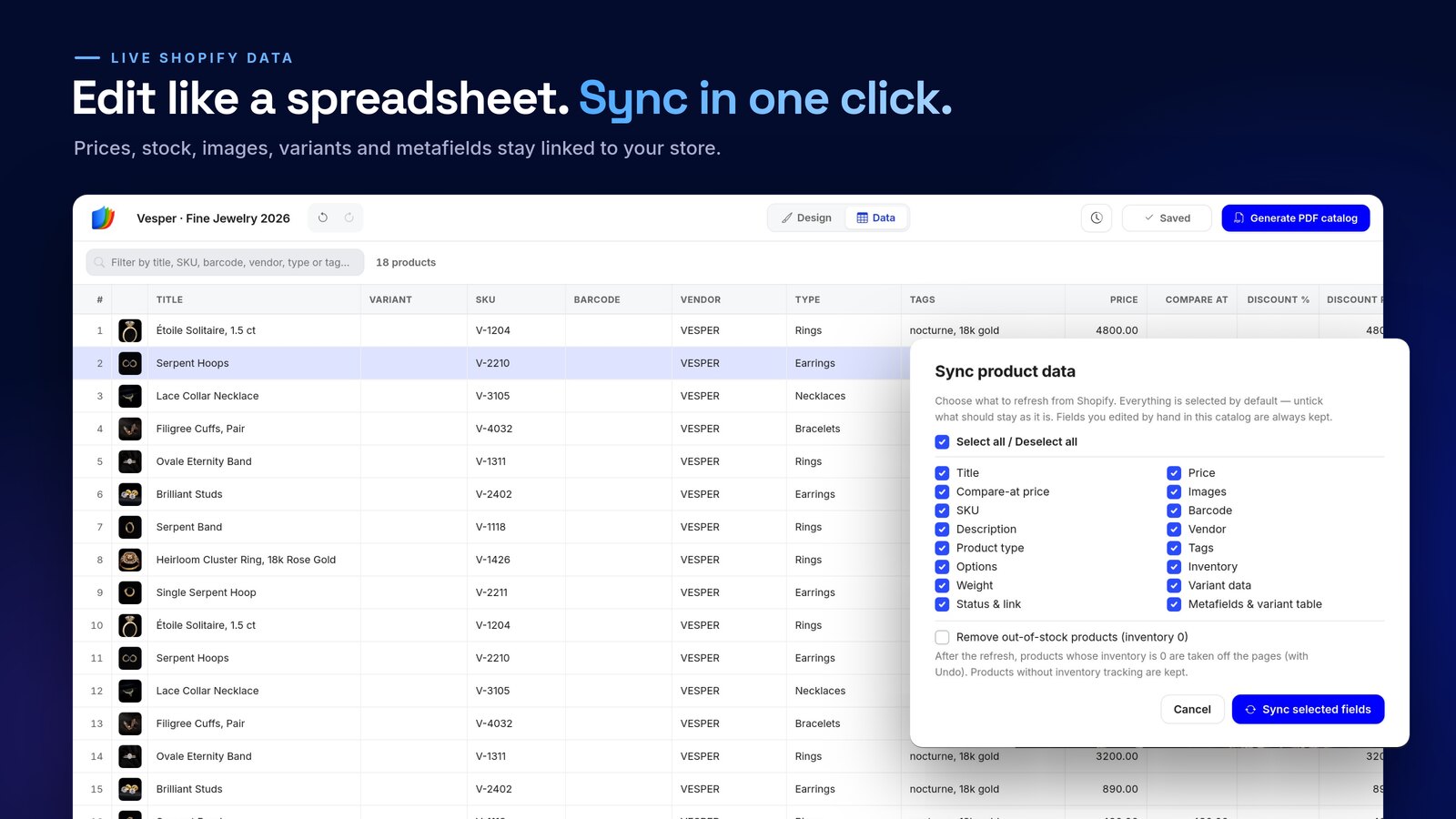
Edit like a spreadsheet. Sync in one click.
Fix titles, prices and SKUs for many products at once in the data view. When your store changes, refresh prices, stock, images, variants and metafields — the design stays put.
Products keep live titles, prices, SKUs and images
Choose exactly which fields to refresh
Fields you edited by hand are always kept
Share & sell
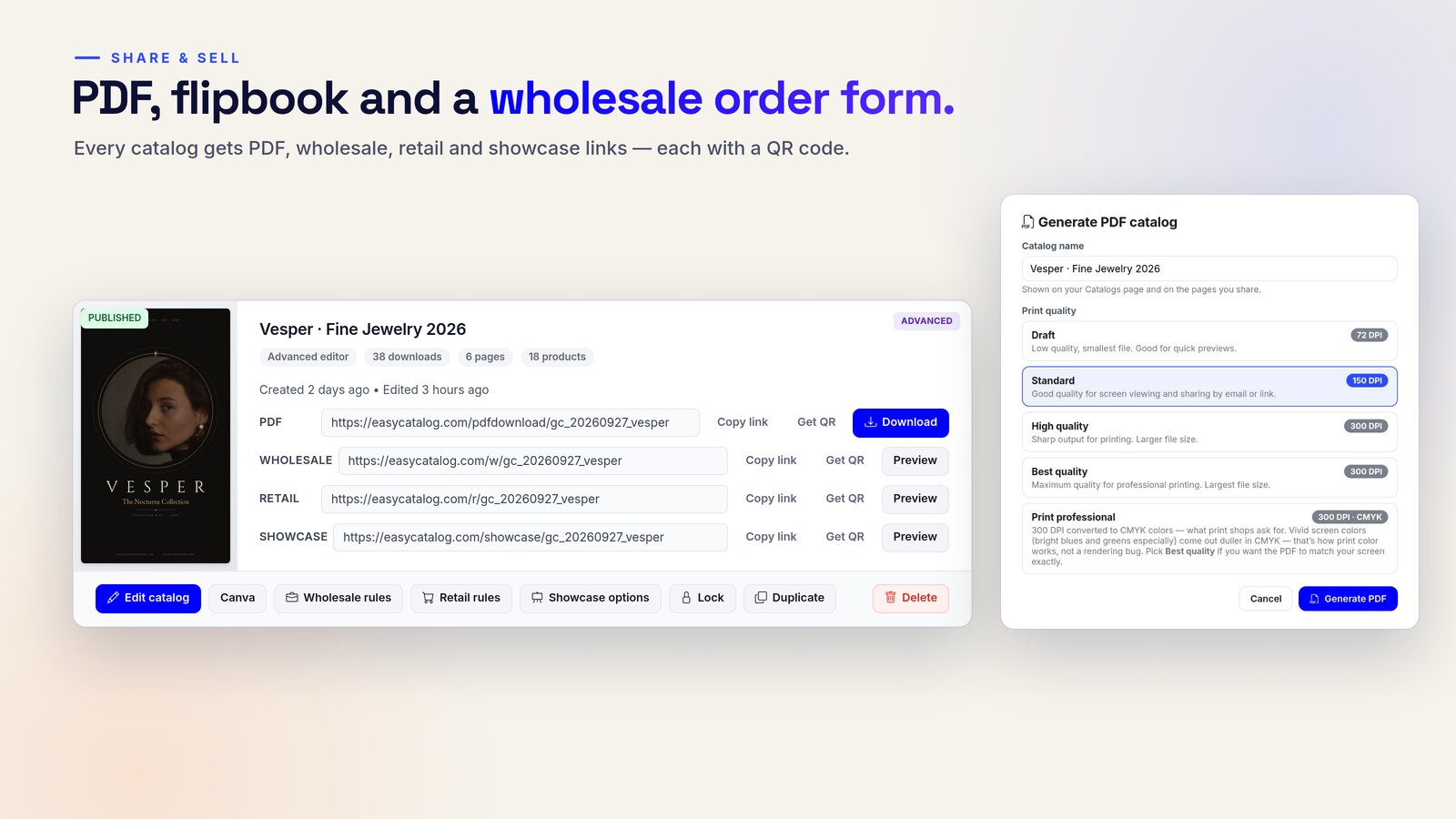
PDF, flipbook and order form — one catalog.
Generate a print-ready PDF, share an interactive flipbook with cart buttons, or take wholesale orders right on the page — no back-and-forth emails.
PDF, wholesale, retail and showcase links — each with a QR code
An online catalog maker that starts from your products.
Most online catalog makers give you a blank template and leave you to place every product by hand. EasyCatalog runs in your browser too, with nothing to install, but it starts from your product data: titles, photos, prices, SKUs and variants come in from your store or file and land on designed pages for you.
Products in, not pasted in
Import a Shopify collection in one click, and Sync keeps prices, stock and photos current. No Shopify? Upload a CSV, connect WooCommerce or add a Google Shopping or Meta product feed.
396 templates, all included
Design kits with real photography, premium industry catalogs, classic wholesale sets and seasonal sale catalogs. Every template comes with every plan, including Free.
Print and online from one design
Download a print-ready PDF at up to 300 DPI with CMYK and bleed, or share a flipbook with a built-in wholesale order form and a QR code.
"An absolute game changer for our business. Anyone can create a professional, high quality catalogue in no time, even without prior design experience."
D
Deals MadUnited Kingdom
★★★★★
"By far the most comprehensive catalog maker. I literally tested every one of them here in the marketplace. I was able to easily integrate metafields and really customize my catalogs."
U
Uni-Trend USUnited States
★★★★★
"Works great for building a wholesale printable catalog plus a digital catalog you can share. Customer service is quick to respond and help with any request."
P
Project Home DIYUnited States
★★★★★
"By far the most valuable among my marketing apps. It enables me to create transactional wholesale catalogs I can send via email. Highly recommended!"
D
DiamondVeneer FashionUnited States
★★★★★
"I've been using this for a few years and it is constantly improving & adding new features. They are very responsive to customer suggestions."
T
Tuxedo CloseoutsUnited States · 4 years using the app
★★★★★
"If you need a feature update, the team is incredibly responsive and quick to implement improvements. A great overall experience."
An online catalog maker is a web app for designing product catalogs in your browser, with nothing to install. EasyCatalog also does the layout for you: it reads your products from Shopify, a CSV file, WooCommerce or a product feed and places them on designed pages, so a long product list does not mean placing every item by hand. You finish with a print-ready PDF, an online flipbook, or both.
Is EasyCatalog free to use?
You can start free. The Free plan needs no card and gives you one catalog of up to 5 pages with a small watermark, and every template is included. Paid plans start at $19.99 a month and add more catalogs, unlimited pages and interactive flipbooks.
Do I need a Shopify store to use EasyCatalog?
No. While EasyCatalog integrates seamlessly with Shopify, you can also create a free account and build catalogs by uploading a CSV file, connecting WooCommerce or a product feed — or adding products by hand. It works for any business, on any platform, or even offline.
What types of catalogs can I create?
Wholesale catalogs, retail catalogs, line sheets, price lists, lookbooks, and interactive flipbooks — all customizable to match your brand's style and requirements.
Can I use EasyCatalog for wholesale orders?
Yes. EasyCatalog includes a built-in wholesale order form. Buyers browse the interactive flipbook and order right on the page, or print the order form from the PDF and send it back.
How does the variant support work?
You can display product variants in a table format or as separate products, with layouts optimized for A4/Letter and an automatic table of contents.
Can I use it for trade shows?
Absolutely. Create professional digital and PDF catalogs to share with buyers, complete with QR codes and barcodes for quick access.
What file formats are supported for export?
PDF export is available on all plans. Paid plans also let you publish interactive flipbooks that can be shared online — optimized for both digital viewing and printing.
Your first catalog is minutes away.
Create a free account and design a print-ready catalog today — no credit card, no design skills, no store required.